Notefox 5.0
Notefox 5.0 is a major update focused on making the best features available to everyone, improving the web experience, and strengthening transparency and privacy compliance.
All advanced features are now free
The features previously known as "pro features" — which required a donation to unlock — are now available to all users for free. Every Notefox Account now has full access to sync history and web note editing. If you find them useful, please consider supporting the project.
Manage notes from the web
View, browse, and edit all your synced notes directly from the Notefox website, without the browser extension installed. The web interface supports search, sorting, rich text formatting, tags, colours, folders, and multiple notes for the same page.
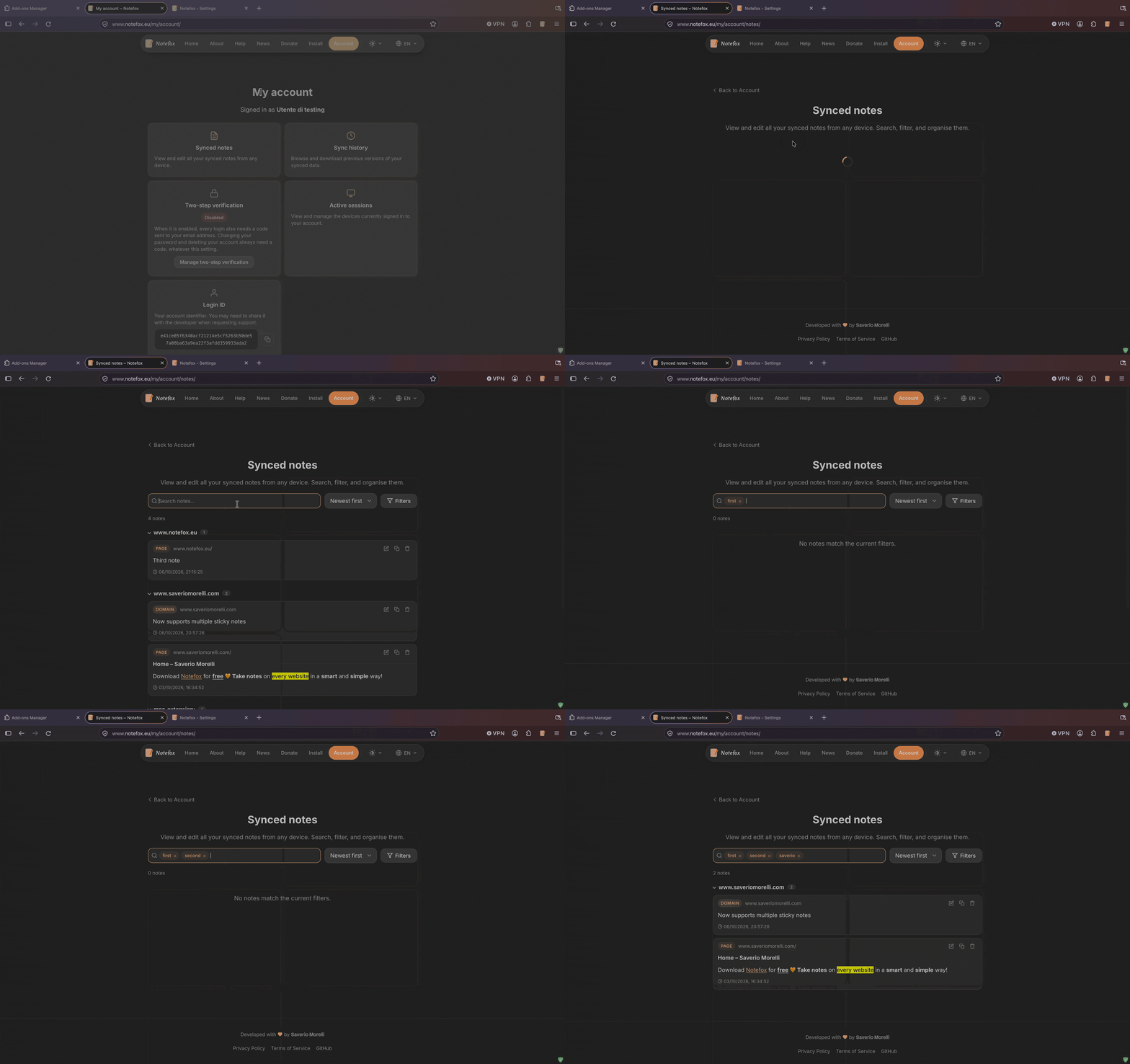 Account > Synced notes
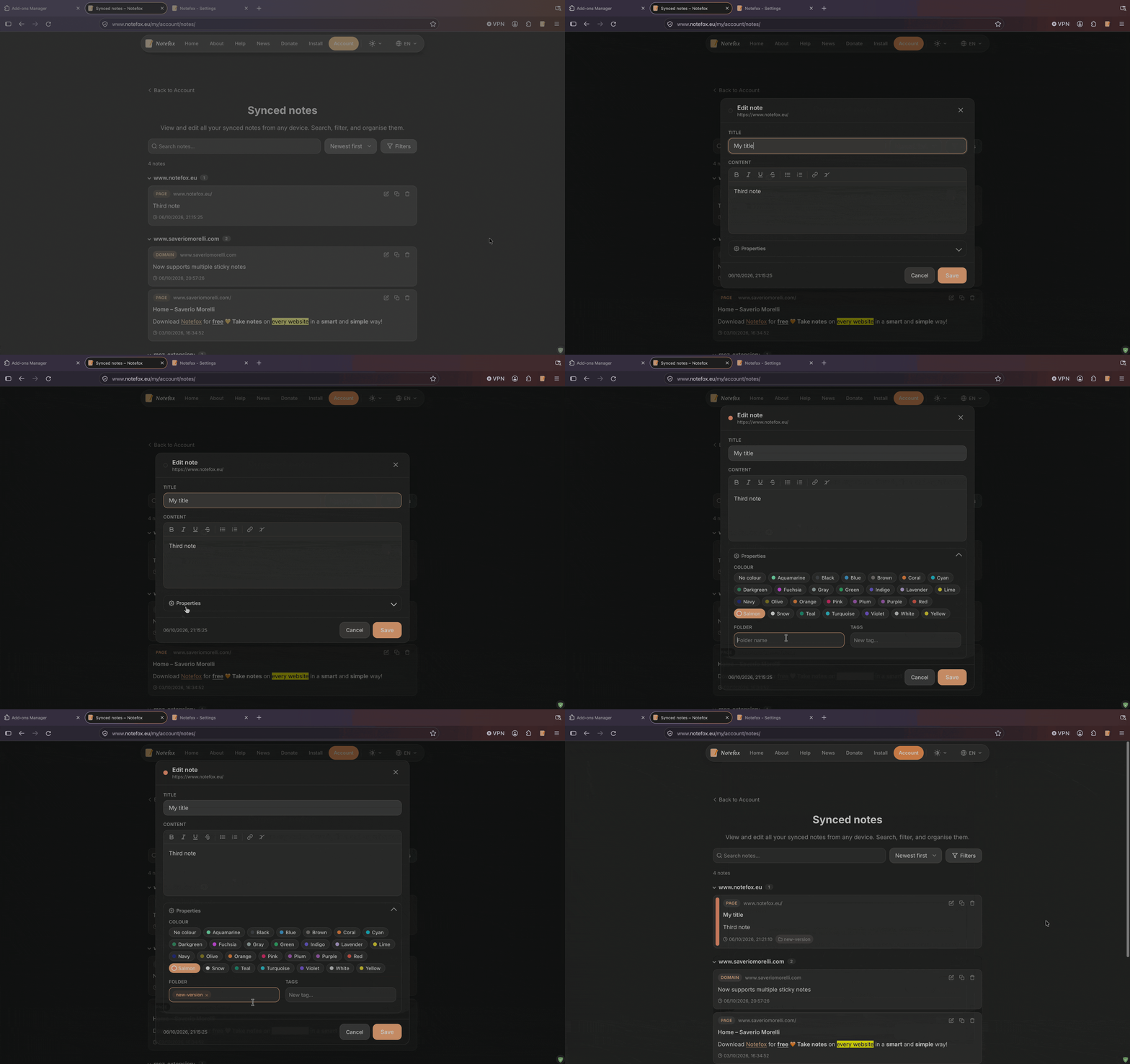 Synced notes > Edit a note directly from the web
Sync history, on the web and in the add-on
Browse the previous versions of your synced notes and download them from the account portal, or open the sync history directly from the add-on and restore a previous version in a few clicks. Learn more in how to get the sync history.
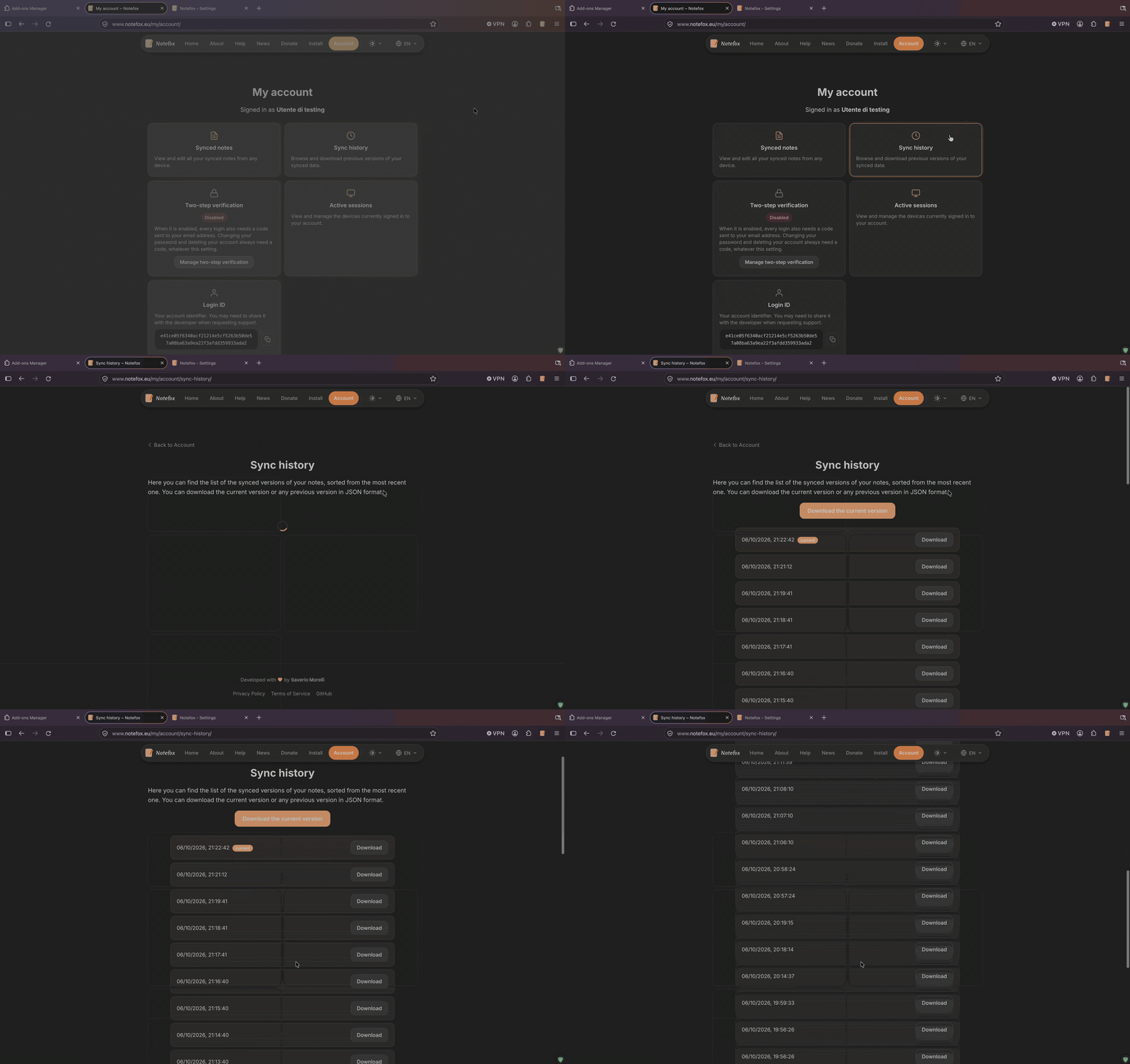 Account > Sync history
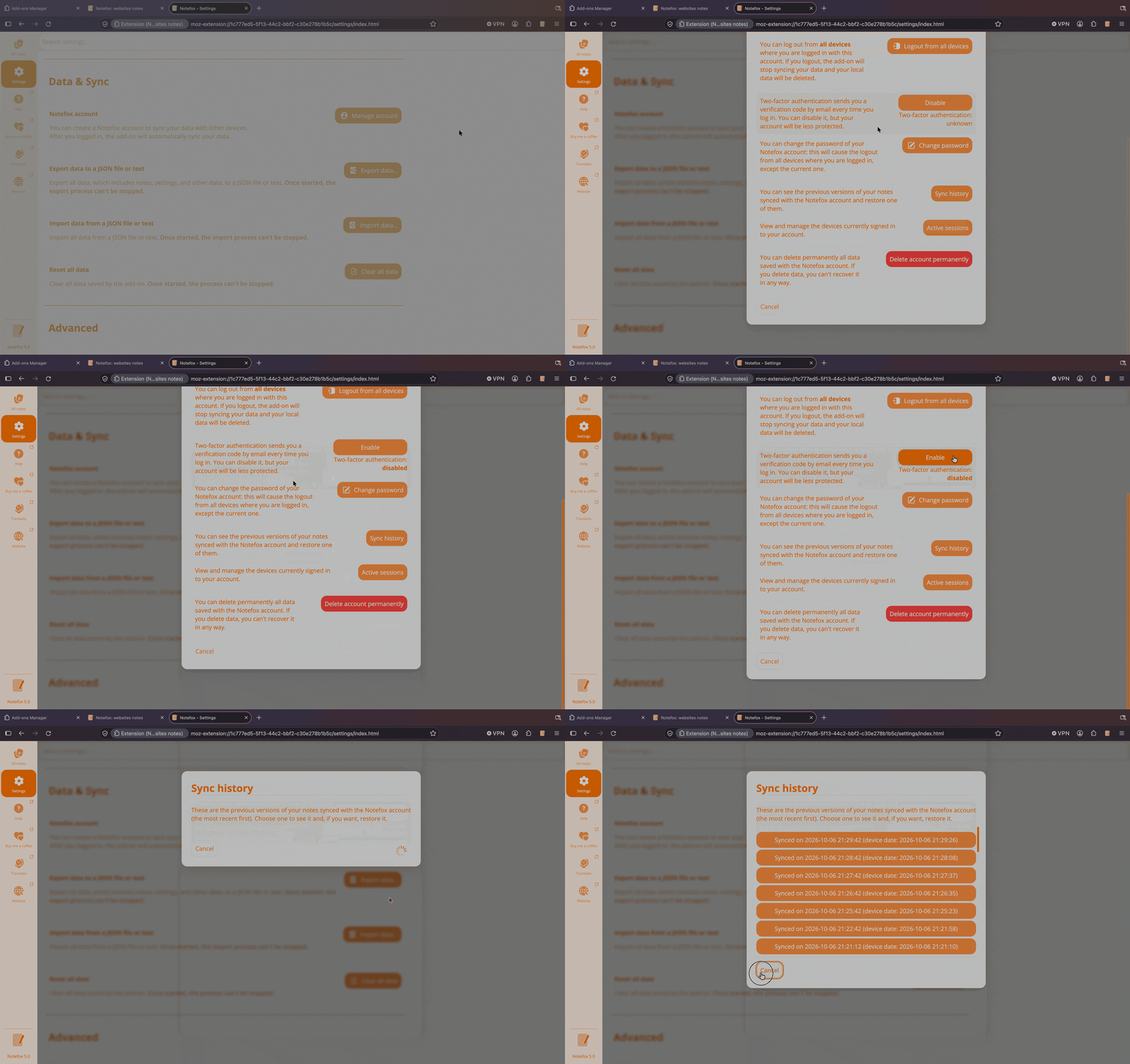 Settings > Data & Sync > Sync history
Multiple notes per type
Create multiple notes for the same type (global, domain, or page). A "New note" button lets you add extra notes, and a list view shows all notes for the current URL. Each note has its own title, content, colour, and sticky-note parameters.
 Settings > Enable multiple notes per type
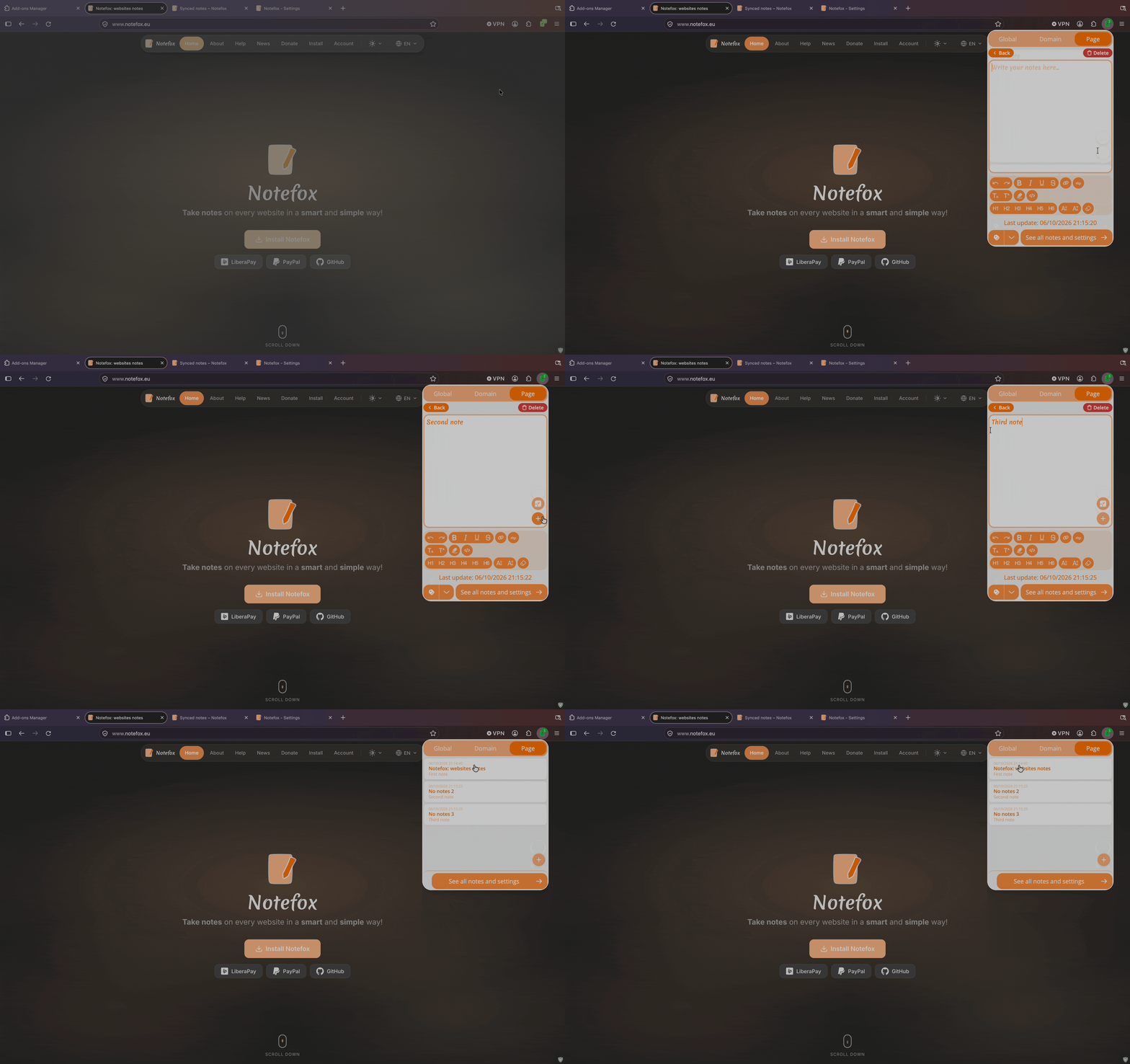 Create and switch between multiple notes for the same page
Multiple sticky notes
Each note can have its own independent sticky note on the page, with its own position, size, opacity, and colour.
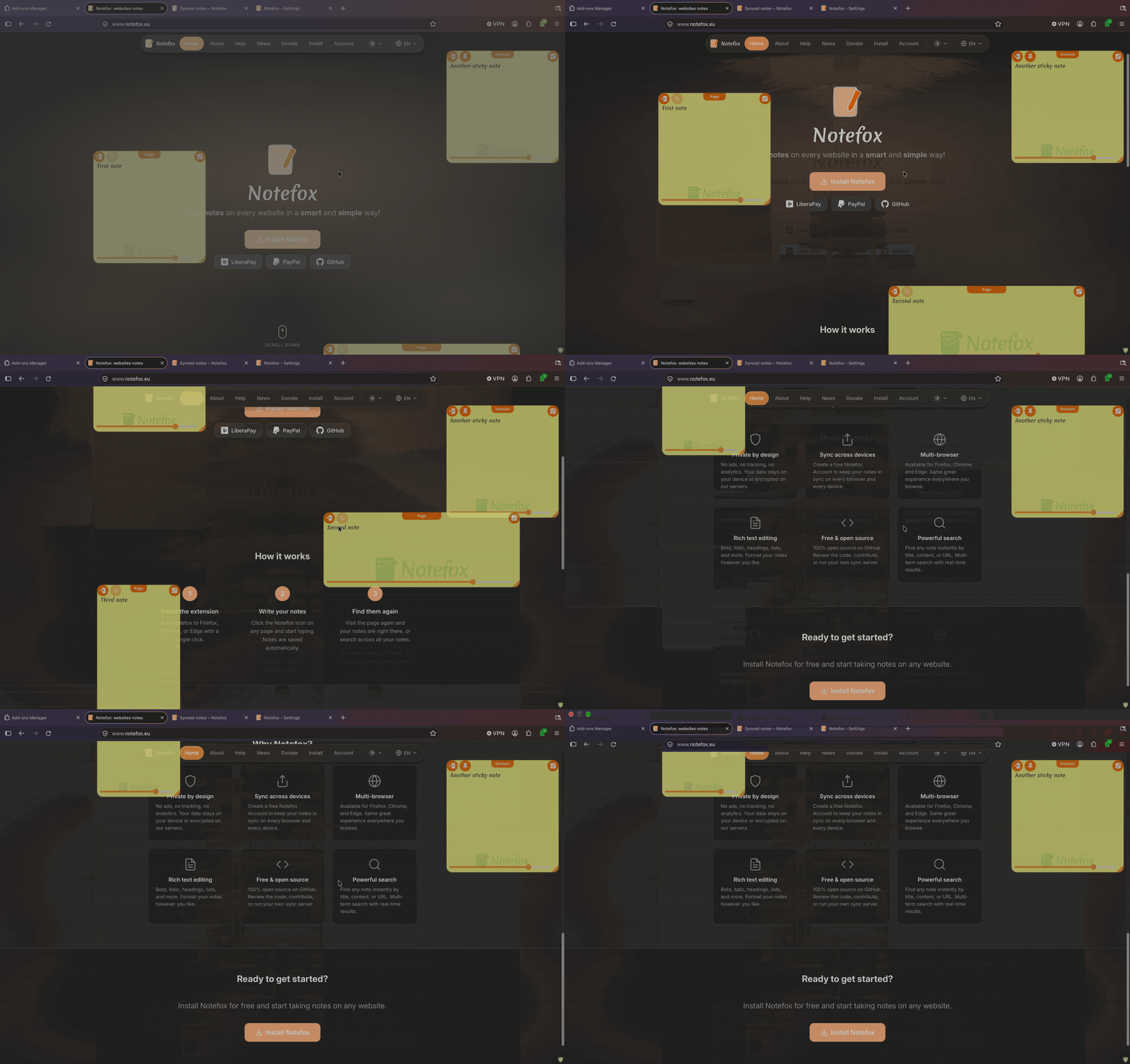 Multiple independent sticky notes on the same page
Pin sticky notes
Sticky notes can now be pinned to stay fixed on screen while you scroll, or unpinned to scroll with the page. A new option in Settings lets you choose whether sticky notes open pinned by default.
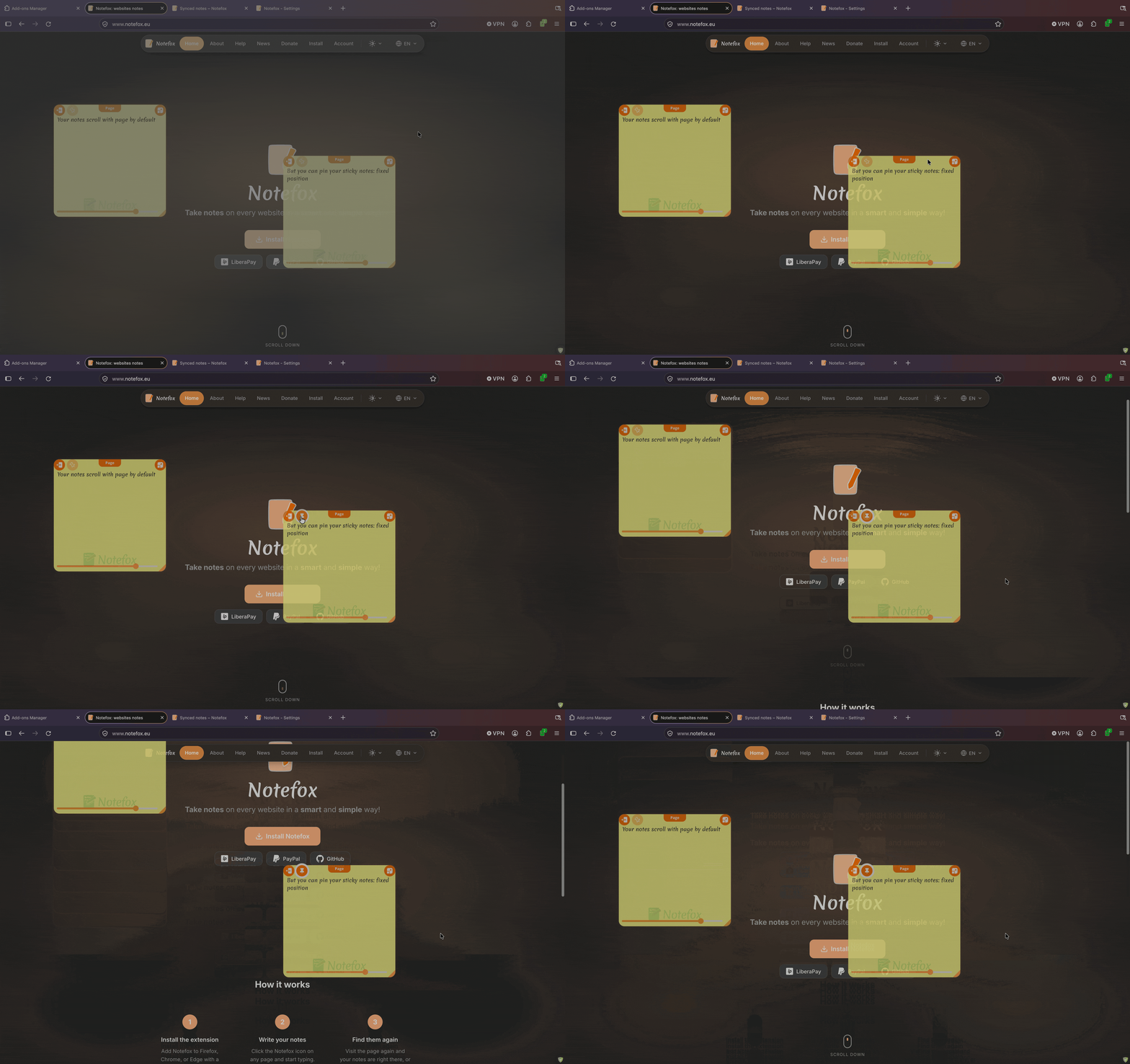 Pin and unpin sticky notes
 Settings > Pinned by default
Context menu: create note from selected text
A new option in Settings enables a "Create note via Notefox" entry in the right-click context menu. Select text on any page and right-click to add it instantly to the note for that page.
 Settings > Create note from selected text
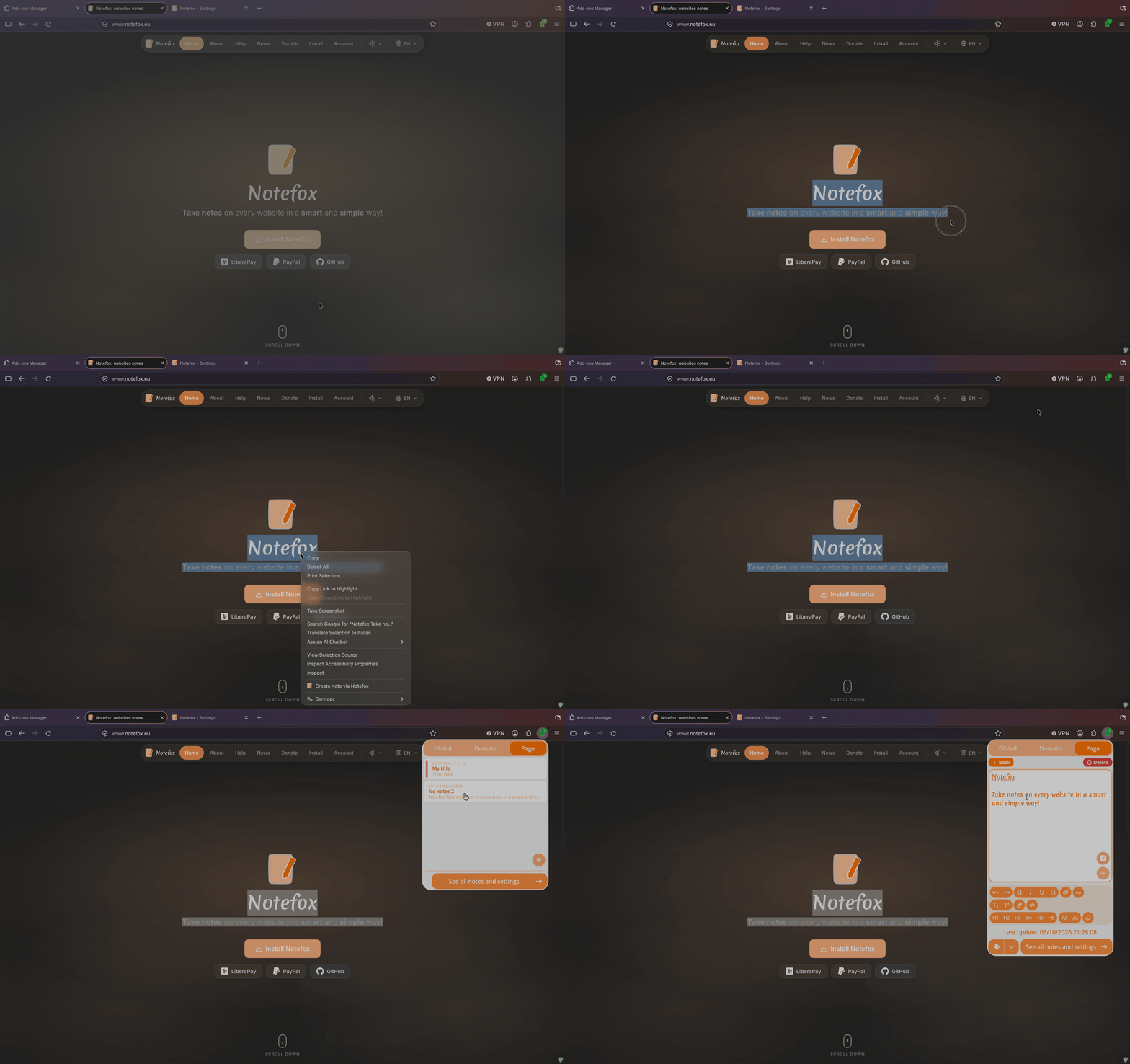 Right-click > Create note via Notefox
Expand all websites by default
A new option in Settings lets you expand all domain groups by default in "All notes", so you can see all your notes at a glance without clicking each domain.
 Settings > Expand all websites by default
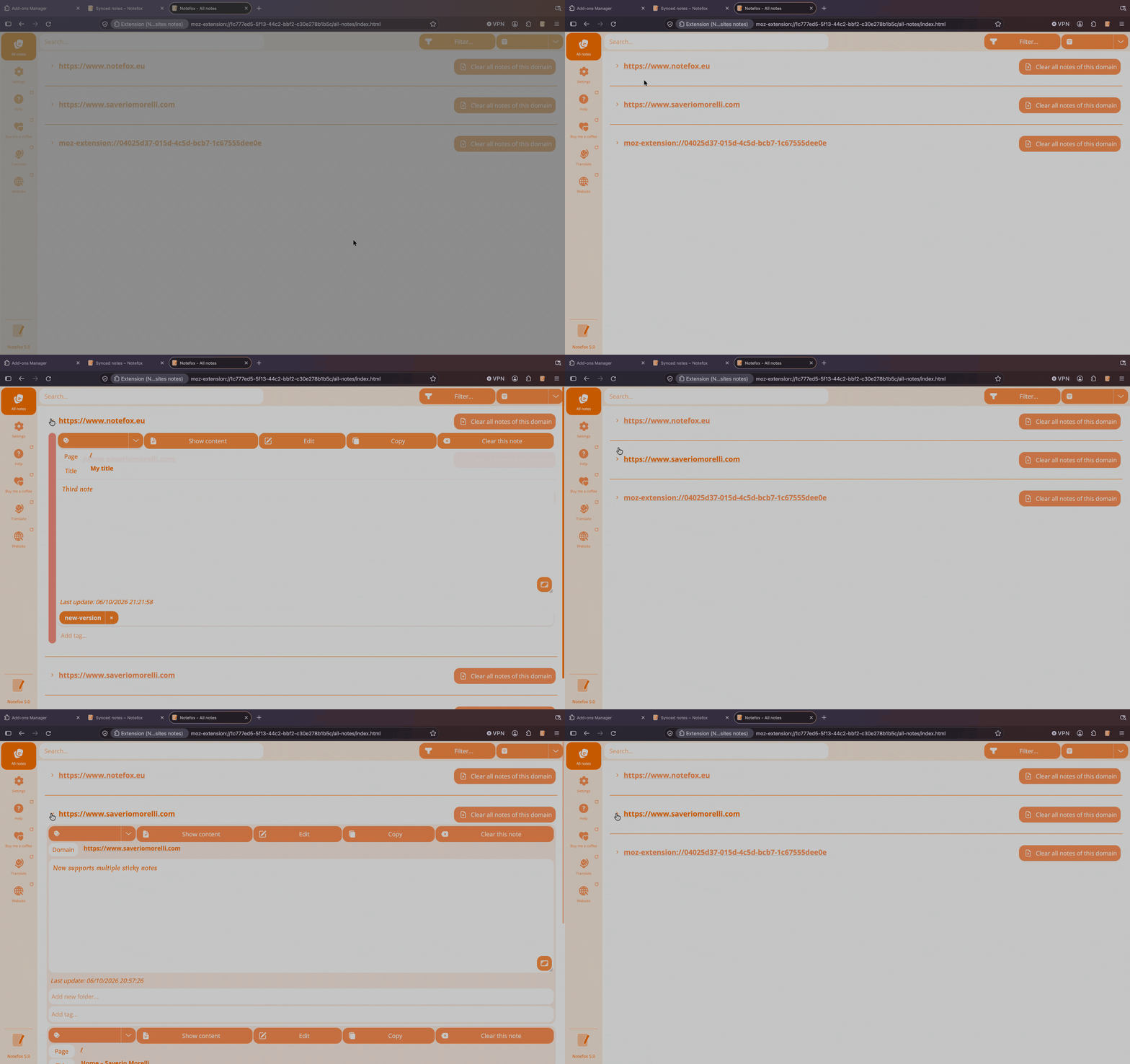 All notes > Websites collapsed and expanded
Search in settings
The Settings page now has a search bar to quickly find the option you are looking for.
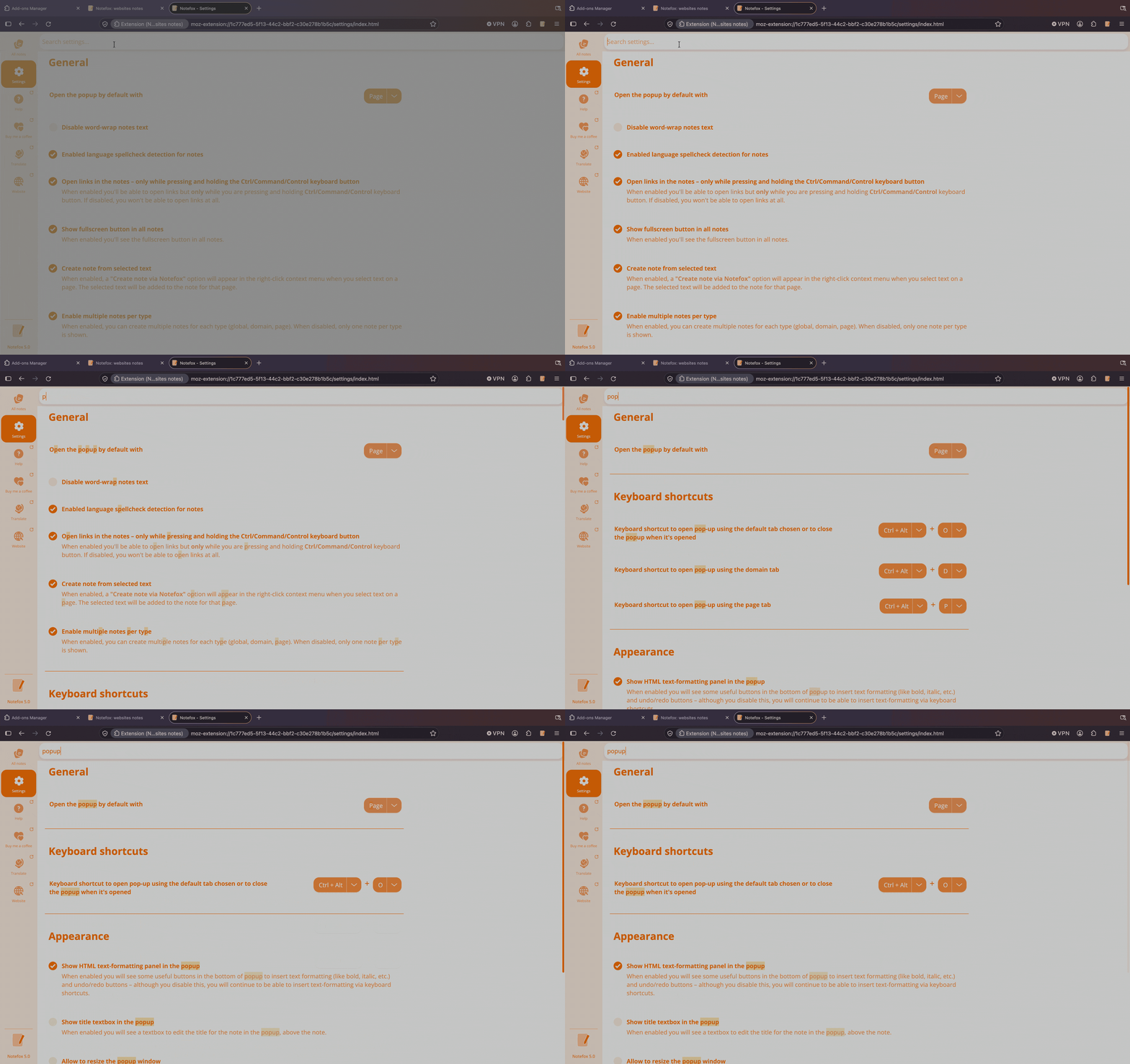 Settings > Search bar
Improved search and filters
The search bar now uses a chip-based input: press Enter to add a search term, Backspace to remove the last one. Type and colour filters support multi-selection. Folder and tag filters use autocomplete suggestions.
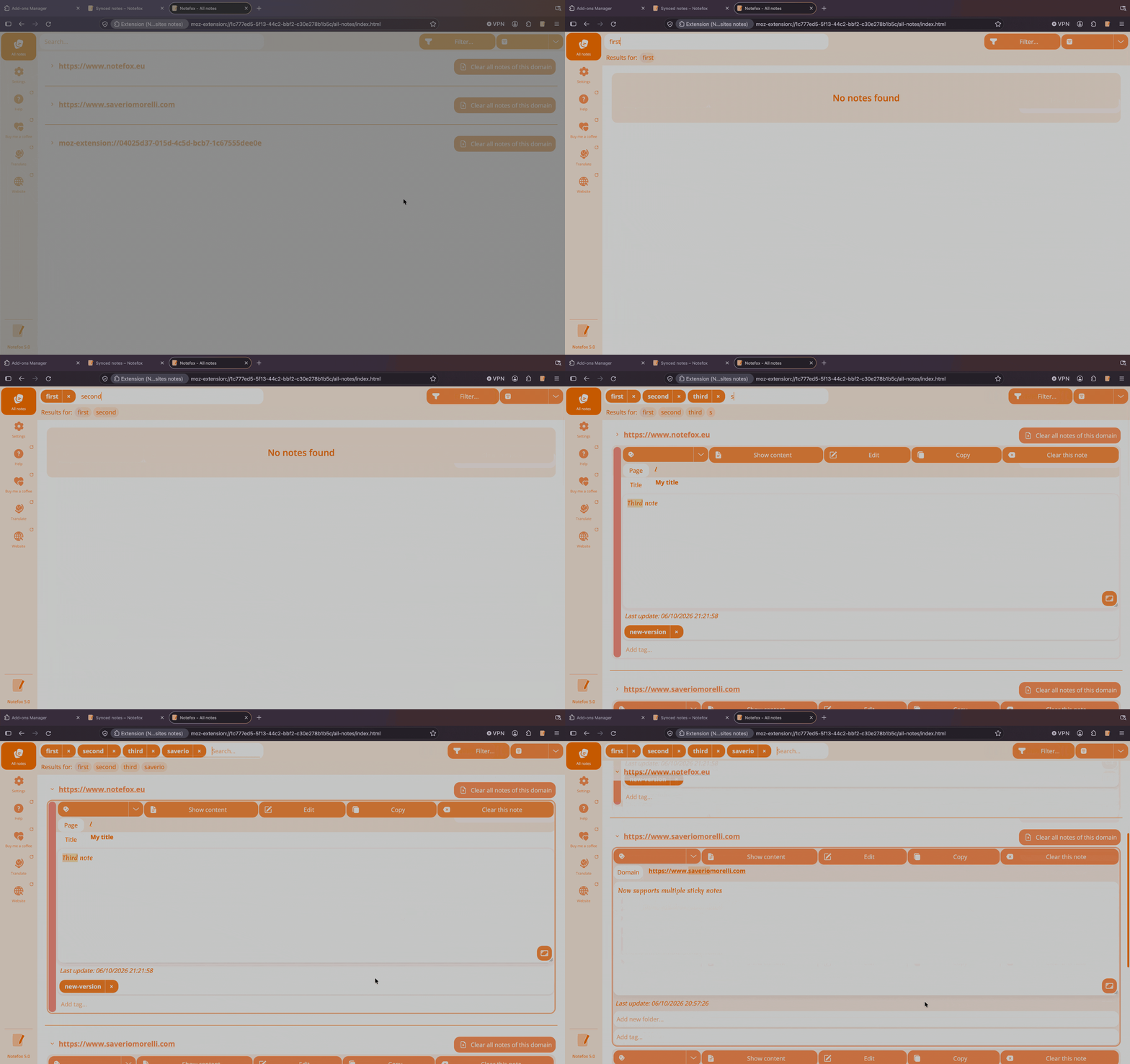 All notes > Search and filter with chips
Note editor improvements
The folder and tag fields in the note editor now use the same chip-based input with autocomplete suggestions from your existing folders and tags.
Active sessions management
View and revoke active sessions from the account portal. Each session shows IP address, login date, and expiry. Sessions expire after 30 days.
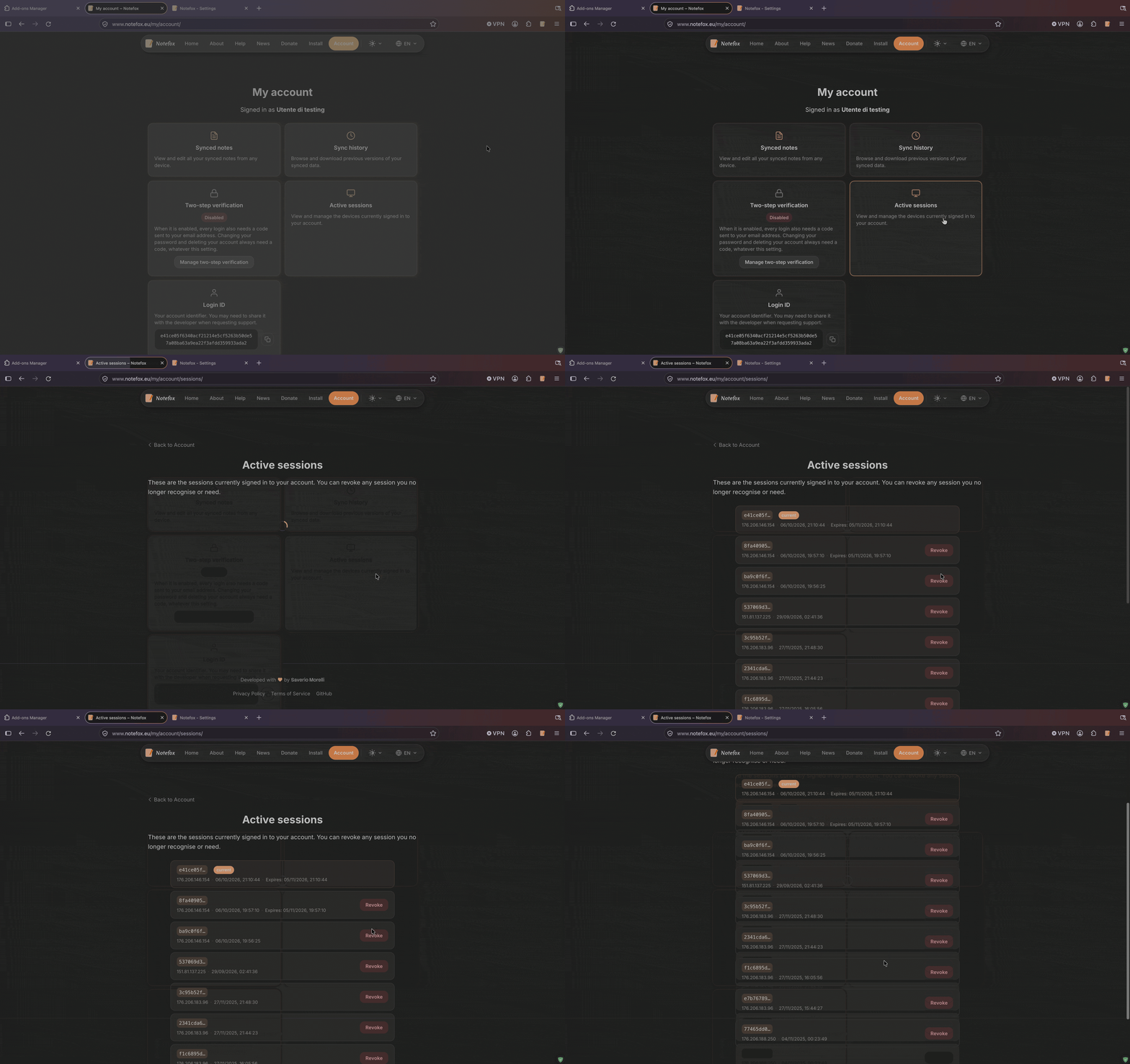 Account > Active sessions
Updated Terms of Service and Privacy Policy
The Terms of Service and the Privacy Policy have been updated for full GDPR and Italian privacy compliance, with clear data retention periods, legal basis, and a comprehensive "Your Rights" section. Both pages now feature an Italian / English tab bar.
Other improvements
- Improved account dashboard with direct access to synced notes, sync history, and active sessions.
- Updated note card design with a rounded colour bar matching the extension style.
- Updated help articles and FAQ to reflect the new features.
- The website is now available in 13 languages.